
Advance to a new season
Move your dynasty into its next season in about 5 minutes.
Before you start
- An active dynasty
- Your season is ready to end in the game
- This action cannot be undone
Steps
- Open Dashboard.
- Select Advance.
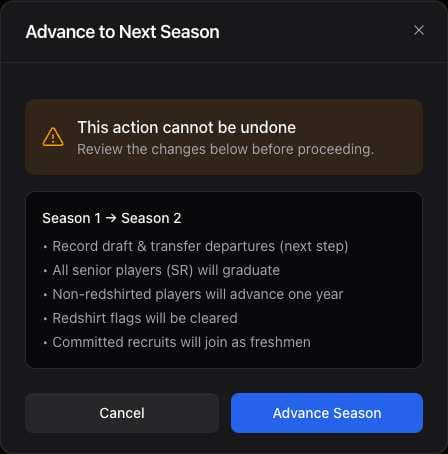
- Review the changes and select Advance Season.
- Under Who's Leaving?, record drafted players and transfers, then select Save & Continue. Select Skip if nobody left.
- If you have a CFB 27 dynasty with NIL enabled, use NIL Retention to record deals, then select Save & Continue or Skip.
- If Assign Positions for ATH Recruits appears, choose a position and archetype for each recruit, then select Save & Continue.
- If Graduating Seniors appears after the season advances, select players for the Trophy Case, then select Save [number] to Trophy Case or Skip.
- Review Season Advanced, then select Done.
What you should see
Your dynasty shows the new season.
If it didn’t work
- The advance option is not available. Check your current season and plan in the app.
- Your roster is not current. Import your latest roster before advancing.
Related articles
Last verified: 2026-11-09