
Manage your dynasties
Switch, rename, archive or delete a dynasty in about 2 minutes.
Before you start
- A Dynasty Central account
- At least one dynasty
Steps
- Open Dynasties in the navigation, or select Manage dynasties from the dynasty switcher.
- Choose Set active on the dynasty you want to use.
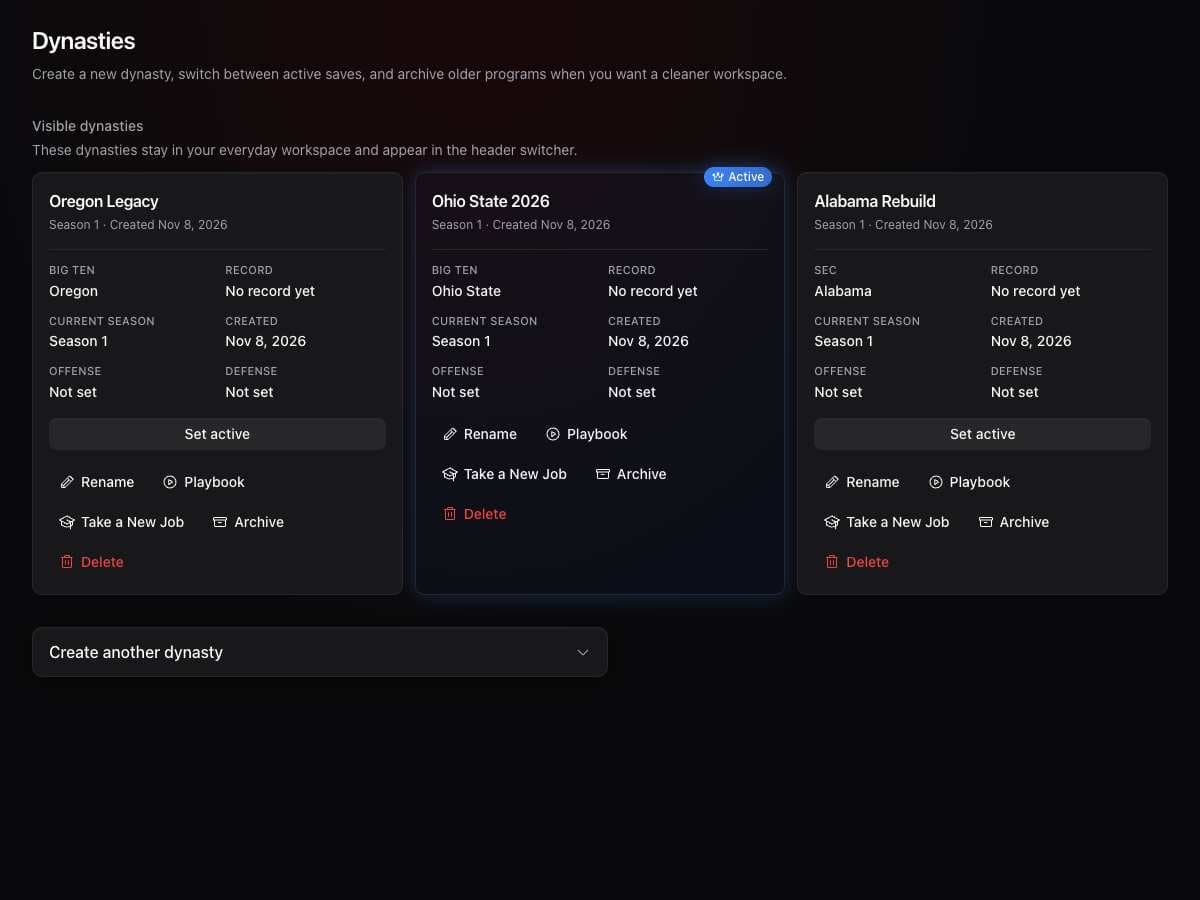
- Choose Rename to change a name.
- Choose Archive to hide a dynasty you want to keep.
- Choose Delete only if you want to remove a dynasty, then follow the confirmation.
What you should see
Your dynasty list reflects your changes.
If it didn’t work
- You cannot find a dynasty. Look in the archived section and restore it.
- You cannot create another dynasty. Check the limit for your plan.
Related articles
Last verified: 2026-11-09