
Manage your plan, billing and cancellation
Find your plan and manage billing in about 3 minutes.
Before you start
- Your Dynasty Central account
- Your payment details if you want to change them
Steps
- Open Settings.
- Open Subscription & Billing.
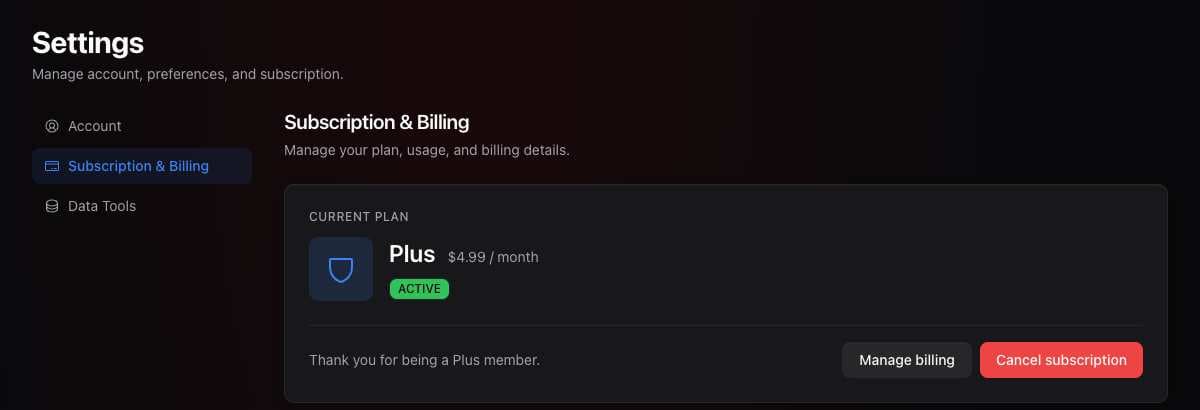
- Select Manage billing to update payment details.
- To cancel, select Cancel subscription.
- Follow the cancellation prompts and confirm your choice.
What you should see
Your subscription section shows your current plan and status.
If it didn’t work
- You do not see a billing option. Make sure you signed in to the account used for your subscription.
- A payment failed. Use Manage billing to update your payment method.
Related articles
Last verified: 2026-11-09